| In the latest Curmudgeon’s Corner…
Sam and Ivan talk about:
Just click to listen now: [wpaudio url=”http://www.abulsme.com/CurmudgeonsCorner/CC20100607.mp3″ text=”Recorded 7 Jun 2010″] or
|
 |
 Taken 2010 May 10 00:03 UTC by Amy Roney (if I am interpreting her timestamps right) I’ve been trying to keep a little dashboard showing how well Backblaze is doing keeping up with backing up my primary system (a Mac). I’d been doing this by hand every once in awhile by just taking the numbers of files and MB left shown by their icon in the menu bar. But that was manual and tedious. I wanted to automate it. I Googled a number of times things like “Backblaze Command Line” to try to find a way to pull this info, but never found anything useful. I poked around a bit looking for relevant log files, but didn’t find them until tonight. I found what I needed, so I thought I’d post so that if anybody else is looking to do the same thing, when they Google, they will find the answer, rather than having to dig and find this from scratch. Of course this is just for the Macintosh version. I am sure there is something equivalent in their Windows software, but I don’t have a Windows machine, so I’m not going to be the one to find it there. Anyway… It turns out what you need is all in a nice little file:
The contents are pretty straight forward:
So, for remaining files needing to be backed up:
And for remaining bytes needing to be backed up:
I use these together in a quick little shell script that I run every few hours using cron:
My actual script actually does one more thing to convert bytes to megabytes for my charts, but the above gets you the raw data. What you do with it after that depends on your application and what you are trying to do with this info. For me, I’m generating dashboard charts: Everything prior to 2010 Jun 10 was me grabbing data manually for the graph. June 10th forward is pulled automatically by the above. Anyway, hope this ends up being helpful for anybody else wanting to programmatically monitor how well Backblaze is or is not keeping up. Edit 2012 Jul 9 13:02 UTC: In recent versions of Backblaze, the path that contains the report has changed to /Library/Backblaze.bzpkg/bzdata/bzreports/ .  Taken 2010 May 9 22:23 UTC by Amy Roney (if I am interpreting her timestamps properly)
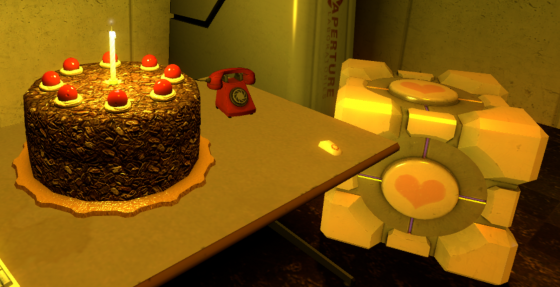
Back when it was free last month I downloaded Portal, because I’d heard good things about it from a couple people in a lunch conversation at work awhile back. But I hadn’t touched it until this last weekend. Sometime Saturday I brought it up on my computer on a lark. I hadn’t been playing it more than 11 minutes when Amy came in and said “What is that, can I play?” So she sat down and started a new game. Rather than play myself any more, I just watched her play, offering suggestions at a few key moments. :-) Ten hours of game play later, spread over four days, Amy just beat the game. (Awesome song at the end by the way…) She had a blast. And I had fun backseat driving. Great game. Great fun. I haven’t enjoyed a video game like this in many a year. (Mostly because I haven’t spent any significant amount of time playing anything more involved than Doodle Jump or Peggle for decades.) Of course, I didn’t actually play this one either. And given the nature of the game, having watched it played through from beginning to end sort of gives you enough spoilers that I’m not sure I’d have fun playing it myself at this point. But still. Fun. Of course some of that was the game, but a lot of it was just sitting and spending time with Amy, which was great. And now of course we know that we’ll be getting Portal 2 as soon as it comes out. I gather it will have a 2 player mode. I think Amy and I will be all over that.  Taken 2010 May 9 00:45 UTC 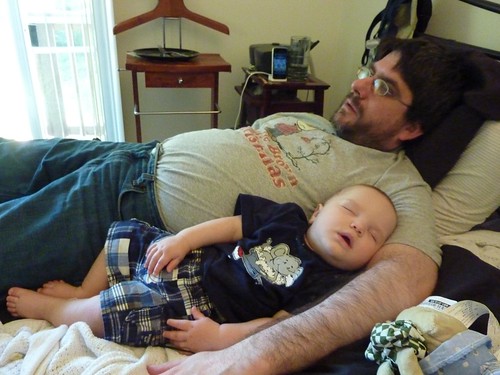 Taken 2010 May 8 23:19 UTC by Brandy Donaghy  Taken 2010 May 8 20:13 UTC
 Taken 2010 May 9 00:00 UTC by Amy Roney (Timestamp assuming that Amy’s camera was set to Pacific time, but with an AM/PM error introduced during PM hours as other plausible interpretations of the timestamp in the EXIF data would not match the position of the sun or would imply Amy might have been up setting the time on her camera before noon. May still be off by an hour if camera doesn’t handle savings time properly.) |
||||